
In the world of real-time communication, there is a silent killer of user experience. It is not a bug in your code or a flaw in your UI. It is a ghost in the machine, a form of digital friction that can turn a seamless, engaging conversation into a frustrating and awkward ordeal. This silent killer is latency.
For any developer building an application with a voice calling SDK, especially one that involves AI, the relentless pursuit of minimizing latency is not just a performance goal; it is the single most important factor in creating a successful and natural-feeling interaction.
We have all felt the pain of latency. It is the awkward, multi-second pause after you say “hello” on an international call. It is the frustrating experience of talking over the other person in a choppy VoIP conference. And in the world of voice AI, it is the dead air that makes an intelligent agent feel slow and unintelligent.
Understanding what latency is, where it comes from, and how to combat it is a critical skill for any developer working with real-time voice. This guide will provide a deep dive into why latency matters and how a modern voice calling SDK provides the essential tools to optimize real-time audio.
Table of contents
What Exactly is Latency in a Voice Call?
Latency, in its simplest form, is the delay between a sound being made by a speaker and that sound being heard by a listener. In a digital voice call, this is not a single delay but a cumulative effect of several distinct “hops” and processing stages that the audio data must go through. This entire journey is often referred to as the “glass-to-glass” time, from the glass of the speaker’s microphone to the glass of the listener’s screen or earpiece.
The Anatomy of Latency in a VoIP Call
The total latency in a call powered by a voice calling SDK is the sum of these key components:
- Capture Latency: The small delay from the device’s microphone and audio processing hardware.
- Encoding Latency: The time it takes for the audio codec to compress the raw audio data into packets for transmission.
- Network Latency: This is the big one. It is the time it takes for audio packets to travel across internet from sender’s device to receiver’s device. This is largely a function of physical distance.
- Jitter Buffering: Because network packets can arrive in an uneven pattern (a phenomenon known as “jitter”), the receiving device must buffer a small amount of audio to play it back smoothly. This buffer adds a small amount of intentional delay.
- Decoding Latency: The time it takes for the codec on the receiving end to decompress the audio packets.
- Playback Latency: The final, small delay from the device’s audio hardware and speaker.
For a human-to-human call, the total one-way latency needs to be below about 200-250 milliseconds to feel “real-time.” Anything above 400ms starts to feel like a frustrating walkie-talkie conversation.
How Does Voice AI Magnify the Latency Problem?
If latency is a problem for human conversation, it is an absolute deal-breaker for an AI conversation. This is because an AI call introduces two additional, and very significant, sources of latency into the round-trip.
The AI conversational loop adds:
- STT (Speech-to-Text) Latency: The time it takes for the AI’s “ears” to transcribe the user’s audio into text.
- LLM (Large Language Model) Latency: The time it takes for the AI’s “brain” to process the text and generate a response. This is often the largest and most variable part of the AI processing time.
- TTS (Text-to-Speech) Latency: The time it takes for the AI’s “mouth” to synthesize the text response back into audio.
When you add these AI-specific delays to the inherent network latency of the call, it is easy to see how the total round-trip time can quickly exceed the threshold for a natural conversation. This is why a fast AI call response speed is a primary design goal for any voice AI system. A recent study on user patience with technology found that delays as short as two seconds can be enough to cause users to abandon a task, and a slow AI is a perfect example of this.
Also Read: Managing Returns with AI Voice Support
How Does a Low-Latency Voice SDK Provide the Solution?
While you must optimize your AI models, the voice calling SDK helps you fight network latency. It becomes your strongest ally in reducing delay. A low-latency SDK is more than software. It is your on-ramp to a globally optimized, high-performance voice network.
The Power of an Edge-Native Architecture
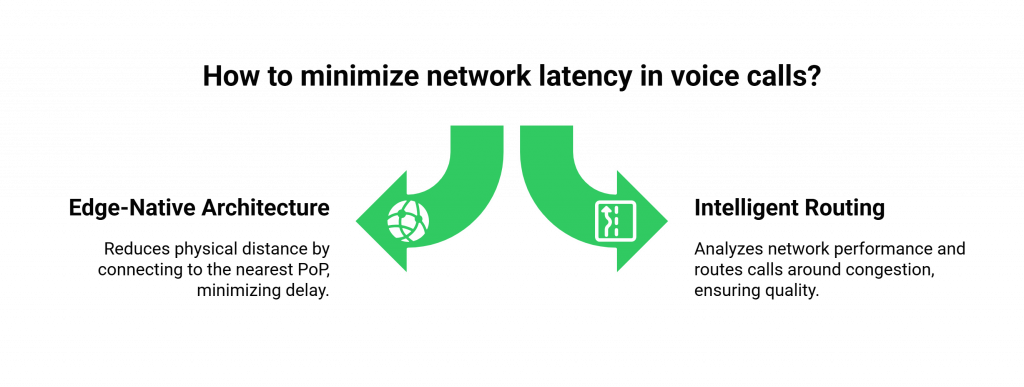
This is the single most important architectural choice for minimizing network latency.
- The Problem with Centralized Clouds: A traditional, centralized cloud architecture means that a call from a user in Sydney, Australia might have to travel all the way to a single data center in Virginia, USA, and back again. This massive physical distance adds hundreds of milliseconds of unavoidable network delay.
- The Edge Solution: A low latency voice SDK from a provider like FreJun AI is built on a globally distributed, edge-native infrastructure. We have a network of Points of Presence (PoPs) in data centers all over the world. The SDK is intelligent enough to connect the user’s call to the PoP that is geographically closest to them. That Sydney user’s call is handled by our Sydney PoP. This drastically shortens distance the audio data has to travel, which is the most effective way to optimize real-time audio.
Intelligent Routing and Carrier Optimization
A high-quality voice calling SDK does more than just connect to the nearest server. Its underlying platform is constantly analyzing the performance of the global network in real time.
- It monitors the quality of different carrier paths around the world.
- It can intelligently and automatically route your call’s media stream around areas of network congestion or carrier outages.
- This is like having a “Waze” for your voice traffic, always finding fastest and clearest path for conversation to travel.
This table provides a summary of the key voice streaming latency tips and how the SDK helps implement them.
| Latency Optimization Tip | How a Modern Voice Calling SDK Helps |
| Minimize Physical Distance | The SDK automatically connects to a globally distributed, edge-native network, routing the call through the nearest server (PoP). |
| Use High-Quality, Low-Latency Codecs | A good SDK will support modern, efficient audio codecs like Opus, which are designed to provide high quality at lower bitrates with minimal delay. |
| Optimize Jitter Buffering | The SDK’s client-side media engine has an adaptive jitter buffer that can dynamically adjust to changing network conditions to provide the smoothest possible audio with the minimum amount of added delay. |
| Provide Network Quality Analytics | The SDK provides tools to measure the user’s network in real-time and provides detailed post-call analytics on jitter, packet loss, and latency for debugging. |
Ready to build your voice application on a platform that is obsessively engineered for low latency? Sign up for FreJun AI!
Also Read: Real-Time Driver Support via AI Voice
Practical Steps for Developers to Optimize for Latency
While the voice calling SDK handles the heavy lifting of network optimization, there are several SDK best practices that you, the developer, should follow to ensure you are getting the absolute best performance.
Choose the Right Geographic Region for Your AI
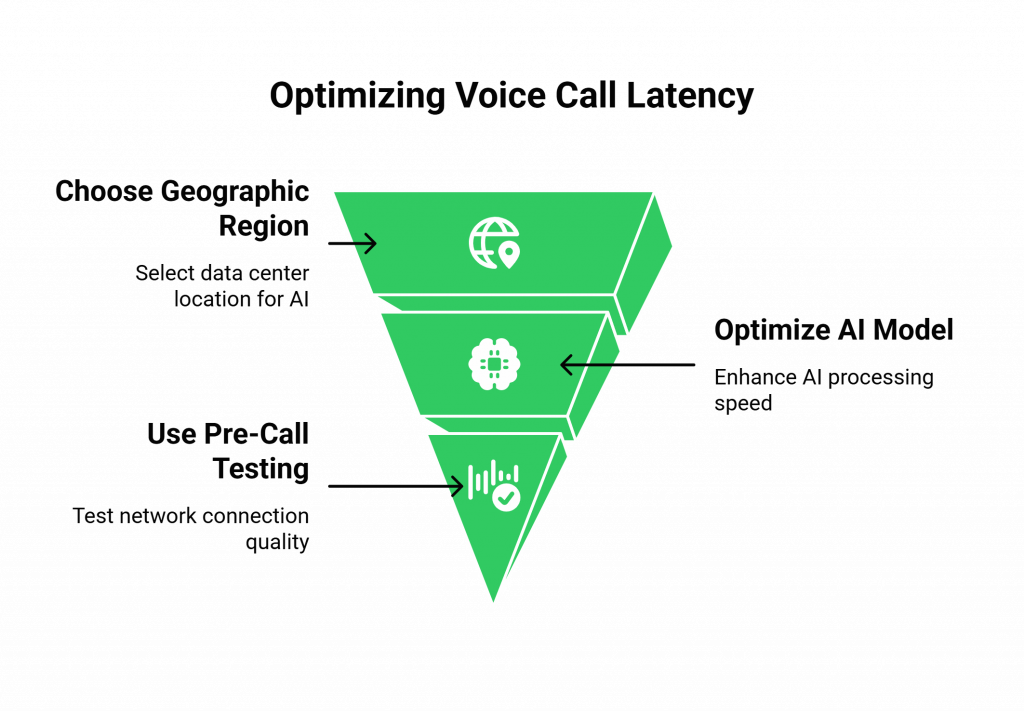
Even with an edge network for the voice, your AI’s “brain” (your AgentKit) also needs to be as close to the user as possible. If your users are primarily in Europe, you should host your AI application servers in a European data center. The goal is to minimize the latency of the “middle mile”, the connection between the voice provider’s edge server and your application server.
Optimize Your AI Model’s Performance
The AI call response speed is also a major factor.
- Choose Fast Models: When selecting your STT, LLM, and TTS models, their processing speed should be a key consideration.
- Stream Your Responses: For your TTS, do not wait for the entire audio file to be generated before you start playing it. Use a TTS provider that supports streaming, so the audio can start playing back to the user almost as soon as the first few words have been synthesized.
Use the SDK’s Pre-Call Network Testing
A high-quality voice calling SDK will provide a pre-call testing function. You should integrate this into your application’s UI. Before a user can even start a call, this function can run a quick test of their local network connection and warn them if their bandwidth, latency, or jitter is not sufficient for a high-quality call.
Also Read: Managing Utility Bills via AI Voicebots
Conclusion
In the real-time world of voice communication, latency is not just a performance metric; it is a direct measure of the quality of the user experience. For a human conversation, it is the difference between a clear connection and a frustrating one.
For an AI conversation, it is the difference between an agent that feels intelligent and one that feels broken. While the challenge of latency is complex, the solution is clear: a powerful partnership between a well-architected application and a modern, low latency voice SDK.
By leveraging a globally distributed, edge-native infrastructure and by following a clear set of development best practices, you can conquer the challenge of latency and build the kind of seamless, instantaneous, and truly conversational experiences that will define the future of voice.
Want a technical deep dive into how our edge-native architecture can help you achieve your low-latency goals? Schedule a demo with our team at FreJun Teler.
Also Read: United Kingdom Country Code Explained
Frequently Asked Questions (FAQs)
Latency is the delay between when a sound is made by a speaker and when it is heard by a listener. Minimizing this delay is critical for a natural-sounding conversation.
A low latency voice SDK is crucial because an AI conversation has multiple steps (STT, LLM, TTS) that add to the total delay. The SDK must provide the fastest possible network connection to ensure the AI call response speed is fast enough to feel conversational.
The best way to optimize real-time audio is to choose a voice calling SDK that is built on a globally distributed, edge-native infrastructure. This is the most effective way to reduce network latency.
Some key voice streaming latency tips include hosting your servers close to your users. You should also choose fast, streamable AI models, especially for TTS. It helps to use your SDK’s pre-call network testing features.
An edge-native platform has a globally distributed network of servers (Points of Presence). It handles a call at the server that is physically closest to the end-user. It is the most effective way to reduce the data’s travel time across the internet.
Jitter is the variation in the arrival time of the audio packets. High jitter can cause the audio to sound choppy or garbled. A good voice calling SDK will have an “adaptive jitter buffer” to smooth out this unevenness.
The audio codec (like Opus or G.711) is the software that compresses and decompresses the audio. Some codecs have a lower “algorithmic delay” than others and are better suited for real-time, low-latency applications.
Yes. A high-quality voice platform will provide detailed post-call analytics, including measurements of the network latency, jitter, and packet loss for each call. It is an invaluable tool for debugging and troubleshooting voice integrations.