
Real-time voice systems behave differently from text-based applications. While chat APIs tolerate delays and retries, voice APIs operate under strict timing, streaming, and reliability constraints. A small delay, missing audio frame, or broken state can silently degrade the entire conversation. This is why many voice agents fail in production, even when individual components appear to work.
This guide explains how real-time audio flows through voice API integrations, where failures occur, and how teams can debug them effectively. It focuses on practical system design, observability, and infrastructure decisions that enable stable, scalable voice agents in real-world conditions.
What Is Voice API Integration And Why Is It Harder Than It Looks?
Voice API integration is often described as “connecting speech-to-text and text-to-speech to an LLM.” However, in practice, it is far more complex. Unlike text APIs, voice APIs operate on continuous audio streams, not discrete requests.
In text-based systems, latency is flexible. In contrast, voice systems must respond within human conversational limits. Because of this, every component in the pipeline becomes latency-sensitive.
Most teams underestimate voice API integration because:
- Audio is stateful, not transactional
- Failures propagate across components
- Debugging is harder due to real-time constraints
As a result, many production voice agents fail not because of model quality, but because of integration failure handling gaps.
How Do Real-Time Voice APIs Actually Work Under The Hood?
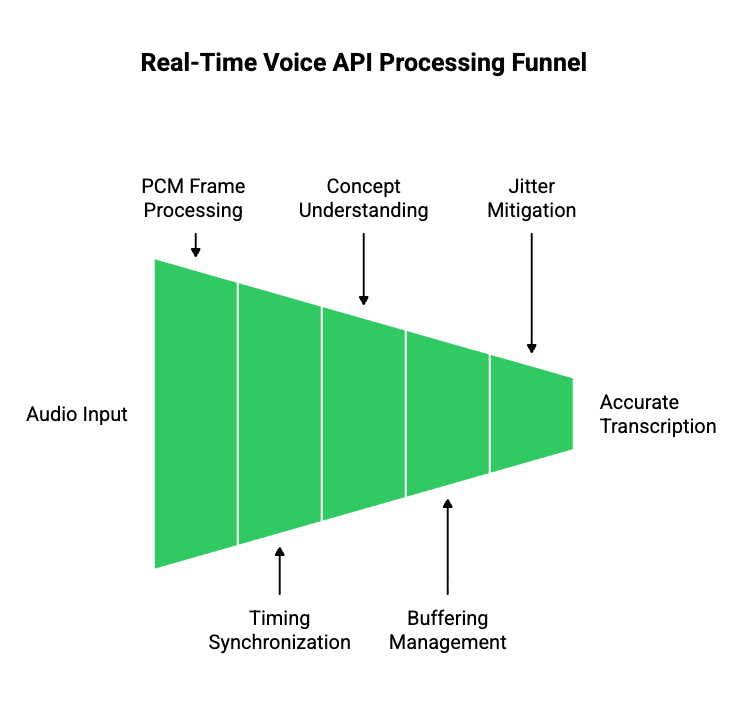
To debug voice API failures, you must first understand how real-time audio flows through a system.
Audio Streams Are Not Audio Files
A common mistake is treating voice input like an uploaded file. In real-time voice systems:
- Audio arrives as small PCM frames
- Frames are sent continuously over a live session
- Timing between frames matters as much as the data itself
Therefore, a voice API integration must process audio while it is still being spoken.
Key Audio Concepts You Must Understand
| Concept | What It Means | Why It Matters |
| Sample Rate | Audio samples per second (e.g., 8kHz, 16kHz) | Mismatch causes distortion |
| Frame Size | Audio chunk duration | Affects latency |
| Buffering | Temporary audio storage | Poor buffering increases delay |
| Jitter | Variation in packet timing | Breaks transcription accuracy |
Because these variables interact, voice API debugging always requires visibility into audio-level behavior, not just API responses.
What Is A Modern Voice Agent Pipeline Made Of?
A voice agent is not a single system. Instead, it is a multi-stage pipeline where each layer can fail independently.
Core Voice Agent Components
- Speech-to-Text (STT): Converts audio frames into partial and final transcripts.
- Conversation State Manager: Maintains dialogue context outside the model.
- LLM Or AI Agent: Generates responses based on text input and context.
- Tool Calling Layer: Executes actions like scheduling, CRM updates, or queries.
- Retrieval (RAG): Fetches relevant data from vector databases.
- Text-to-Speech (TTS): Converts text into playable audio.
Because of this layered design, voice API debugging must isolate failures per stage, not across the entire system.
Pipeline View
| Stage | Input | Output | Common Failure |
| STT | Audio frames | Partial text | Dropped frames |
| LLM | Text | Tokens | Latency spikes |
| TTS | Text | Audio chunks | Playback gaps |
This separation is critical for effective voice error logs.
Where Do Voice API Integrations Commonly Fail?
Voice API integration failures follow predictable patterns. Understanding these patterns speeds up debugging.
High-Level Failure Categories
- Audio ingestion failures
- Transcription instability
- LLM response delays
- Broken conversation state
- Audio playback interruptions
However, these failures rarely appear in isolation. Instead, they cascade across the pipeline.
For example, a minor STT delay may:
- Stall LLM input
- Delay response generation
- Cause awkward silence on the call
Because of this chain reaction, teams must focus on failure propagation, not just failure detection.
How Do Audio Ingestion Failures Happen In Real-Time Voice Systems?
Audio ingestion is the first failure point in most voice API integrations.
Common Audio Ingestion Issues
- Packet loss due to network instability
- Incorrect sample rate negotiation
- Silence detection cutting speech early
- Backpressure when downstream systems slow down
Even when audio “sounds fine” to humans, ingestion failures still occur at the transport layer.
What To Log For Audio Debugging
To support voice API debugging, teams should log:
- Frame timestamps
- Session identifiers
- Buffer sizes
- Silence detection events
Without these logs, debugging becomes guesswork.
Why Does Speech-To-Text Break Even When Audio Sounds Fine?
Speech-to-text failures are often misunderstood.
Key STT Failure Reasons
- Partial transcripts change over time
- Word boundaries shift as more audio arrives
- Model confidence fluctuates
- Latency tuning reduces accuracy
Therefore, relying only on final transcripts hides critical errors.
STT Debugging Best Practices
- Log partial and final transcripts
- Compare confidence scores over time
- Replay recorded audio through STT independently
By doing this, teams can identify whether failures originate from audio quality or transcription logic.
How Do LLMs Introduce Latency And State Errors In Voice Pipelines?
LLMs rarely fail outright. Instead, they introduce timing mismatches.
Common LLM-Related Voice Issues
- Token generation slower than audio pacing
- Blocking calls waiting for full completion
- Race conditions between user speech and agent response
Because voice systems are conversational, delays longer than 500ms feel broken, even if technically correct.
Key Insight
Voice systems fail when text generation blocks audio flow.
Therefore, voice API integration must prioritize streaming and concurrency.
How Should You Log And Trace Errors Across A Voice API Pipeline?

Once a voice agent moves beyond demos, debugging becomes the primary challenge. Unlike text systems, voice failures cannot be replayed easily unless the system was designed for it.
Therefore, voice error logs must be intentional and structured.
Why Traditional API Logs Are Not Enough
Most API logs focus on:
- Request payloads
- Response codes
- Execution time
However, voice API integration requires time-series visibility, not snapshots.
Voice systems fail between events, not at endpoints.
What To Log In A Voice API Integration
To debug reliably, logs must span the entire pipeline.
| Layer | What To Log | Why It Matters |
| Audio Transport | Frame timestamps, packet gaps | Detect ingestion issues |
| STT | Partial + final transcripts | Catch instability |
| LLM | Token timing, response start | Identify latency |
| TTS | Chunk generation time | Avoid playback gaps |
| Playback | Start/stop/interruption events | Detect cut-offs |
Because these logs share timing dependencies, correlation IDs should flow across all layers.
Transitioning From Logs To Traces
Logs show what happened. Traces show when and why.
Therefore, high-performing teams:
- Trace a single call end-to-end
- Align audio frames with text events
- Reconstruct failures using recorded metadata
As a result, voice API debugging becomes systematic instead of reactive.
How Do You Test Voice API Integrations Before Production?
Testing voice systems requires a mindset shift. While text APIs can be tested with static inputs, voice systems must be tested under real-time conditions.
What Voice Testing Must Simulate
- Network latency and jitter
- Concurrent call load
- Partial speech interruptions
- Silence and barge-in behavior
Because of this, relying only on unit tests leads to production failures.
Pre-Production Voice Testing Checklist
| Test Scenario | What It Reveals |
| Delayed audio frames | Backpressure handling |
| Overlapping speech | State race conditions |
| Long silence gaps | Timeout behavior |
| Concurrent calls | Scalability limits |
By running these tests early, teams reduce integration failure handling costs later.
Why Integration Failure Handling Is Harder In Voice Systems
In voice systems, failures rarely present as clean errors.
Instead, users experience:
- Awkward silence
- Repeated responses
- Sudden call drops
- Overlapping audio
These symptoms often mask the root cause.
Why Failures Cascade
For example:
- STT delays final transcript
- LLM waits for input
- TTS response arrives late
- Playback overlaps with user speech
Although each component works independently, the system experience fails.
Therefore, integration failure handling must focus on:
- Timeouts
- Fallback responses
- Graceful degradation
How Should Voice Systems Fail Gracefully?
Graceful failure is a core requirement for production voice agents.
Effective Failure Strategies
- Short acknowledgment prompts (“One moment, please”)
- State reset on long silence
- Partial response playback
- Call continuation instead of termination
Because voice is human-facing, silent failures are worse than imperfect responses.
Why Voice Infrastructure Becomes The Bottleneck At Scale
As voice agents scale, infrastructure—not AI—becomes the limiting factor.
What Breaks First At Scale
- Session management
- Geographic routing
- Telephony reliability
- Latency consistency
DIY solutions that work for ten calls often collapse at one thousand.
Therefore, teams must separate:
- Voice transport
- AI intelligence
This separation improves both debugging and long-term velocity.
How FreJun Teler Simplifies Voice API Integration And Debugging
FreJun Teler is built specifically to solve the voice transport problem, not the AI problem.
It does not replace:
- Your LLM
- Your STT provider
- Your TTS engine
- Your agent logic
Instead, Teler acts as a real-time voice infrastructure layer between telephony and your AI stack.
What Teler Handles At The Infrastructure Layer
- Real-time bidirectional audio streaming
- Stable call sessions across networks
- Low-latency playback coordination
- Telephony and VoIP abstraction
Because of this, engineering teams no longer need to:
- Build custom call media pipelines
- Debug packet-level voice issues
- Maintain telephony integrations
Why This Improves Voice API Debugging
When voice transport is predictable:
- Voice error logs become cleaner
- Failures isolate faster
- AI debugging becomes simpler
This allows teams to focus on:
- Agent logic
- Model performance
- Conversation design
Instead of chasing infrastructure issues.
How A Clean Voice Transport Layer Improves System Design
Separating voice transport from AI logic leads to better architecture.
With A Dedicated Voice Layer
- STT, LLM, and TTS remain interchangeable
- Conversation state stays centralized
- Scaling does not change system behavior
This flexibility is critical because voice systems evolve continuously.
Putting It All Together: A Debuggable Voice API Integration Model
A production-ready voice system follows these principles:
- Audio is treated as a first-class signal
- Logs are time-aligned across layers
- Failures degrade gracefully
- Infrastructure is stable and isolated
- AI components remain replaceable
When these principles are followed, voice API integration becomes predictable instead of fragile.
Final Thoughts: Voice Success Is Built, Not Discovered
Building reliable voice agents is not about choosing the “best” model. It is about designing systems that respect real-time constraints, isolate failures, and remain observable under load. Voice API integrations break when audio transport, timing, and state management are treated as secondary concerns. Teams that succeed approach voice as a systems problem first, then layer AI on top.
FreJun Teler helps engineering teams do exactly that by providing a dedicated, real-time voice infrastructure layer that abstracts telephony complexity while preserving low-latency streaming and session stability. This allows teams to focus on agent logic, models, and business outcomes instead of debugging call pipelines.
Schedule a demo to see how Teler simplifies production-grade voice integration.
FAQs –
1. What is voice API integration?
Voice API integration connects real-time audio streams with STT, AI logic, and TTS to enable live conversational systems.
2. Why is voice API debugging harder than text APIs?
Voice systems are stateful and time-sensitive, making failures harder to reproduce and diagnose without proper observability.
3. What causes most voice API integration failures?
Most failures originate from audio transport, latency, or state synchronization issues rather than the AI model itself.
4. How can I detect audio ingestion issues early?
Log audio frame timing, packet gaps, and silence detection events across every active call session.
5. Why do STT results change during live calls?
STT engines refine partial transcripts as more audio arrives, causing temporary instability in live transcription output.
6. How does latency affect voice agent experience?
Delays above conversational thresholds create awkward pauses, overlapping speech, and user frustration during live calls.
7. What should voice error logs include?
Voice error logs should include timestamps, correlation IDs, partial transcripts, model response timing, and playback events.
8. How do I test voice APIs before production?
Simulate real-world conditions such as jitter, concurrent calls, interruptions, and silence to expose system weaknesses.
9. Why does infrastructure matter more at scale?
As call volume grows, session management, routing, and latency consistency become harder without specialized voice infrastructure.
10. How does Teler help with voice API integration?
Teler provides stable, low-latency voice transport so teams can build, debug, and scale voice agents faster.