
Have you ever tried to tell a voice assistant to “Call Mom” and it started calling “Tom”? It is a small annoyance in your personal life. But in business, that small mistake is a disaster.
Imagine a customer telling your banking bot they want to transfer “fifteen” dollars. The bot hears “fifty” dollars and processes the transaction. The customer is angry. The bank has to reverse the charge. Trust is lost.
As businesses rush to automate support, they often focus on the intelligence of the AI. They buy the smartest “brain” they can find. But they forget about the “ears.” If the audio quality is bad, even the smartest AI will fail. This is the “Garbage In, Garbage Out” rule.
To build a reliable voice interface, you need to focus on reducing errors at every stage of the pipeline. This involves using the right AI voice agent API, implementing strict speech cleanup processes, and using a robust telephony infrastructure that guarantees clear audio.
In this guide, we will explore why errors happen. We will look at how to fix them using accuracy tuning and better infrastructure. We will also discuss how platforms like FreJun AI provide the crystal clear connection needed to make your voice agents sound like geniuses rather than robots.
Table of contents
- Why Do Voice Recognition Errors Happen?
- How Does Audio Infrastructure Impact Accuracy?
- What Is Transcription Error Reduction?
- How Can You Implement Speech Cleanup?
- How Do You Perform Accuracy Tuning?
- Why Is Low Latency Crucial for Error Correction?
- How Does FreJun Teler Improve Call Reliability?
- What Are the Real World Costs of Voice Errors?
- A Step by Step Guide to Reducing Errors
- Conclusion
- Frequently Asked Questions (FAQs)
Why Do Voice Recognition Errors Happen?
Before we can fix the problem, we need to understand it. Why does an AI misunderstand a human? It is rarely because the AI is “stupid.” Modern Large Language Models (LLMs) and transcription engines are incredibly smart.
The problem is usually environmental or technical. Here are the four main culprits.
1. Poor Audio Quality
This is the number one enemy. Telephone networks (PSTN) compress audio. If you are using a cheap VoIP provider, they might compress it further to save bandwidth. This creates “jitter” and “packet loss.” The voice arrives sounding robotic or choppy. The AI voice agent API receives broken data and has to guess what was said.
2. Background Noise
Customers call from everywhere. They call from busy cafes, windy streets, and cars with the radio on. If your system cannot separate the user’s voice from the background noise, the transcription will be full of errors.
3. Accents and Dialects
Global businesses have global customers. A standard model might be great at understanding American English but might struggle with a heavy Scottish or Singaporean accent. Without accuracy tuning, these nuances get lost.
4. Latency (The Hidden Killer)
Latency is delay. If the AI takes too long to respond, the user thinks the bot didn’t hear them. The user starts talking again to repeat themselves. The bot finally speaks, interrupting the user. This is called “talk over.” It confuses the AI and ruins the conversation flow.
How Does Audio Infrastructure Impact Accuracy?
You might think that accuracy is solely the job of the transcription software (like OpenAI Whisper or Google Speech-to-Text). But that software is only as good as the signal it receives.
Think of it this way. If you wear earplugs, you will have a hard time understanding a conversation even if your brain is working perfectly.
FreJun AI acts as the clean, high definition connection. We handle the complex voice infrastructure so you can focus on building your AI.
When you use FreJun, we bypass the standard, low quality routes that many providers use. We utilize optimized media paths. This means the audio stream that reaches your AI voice agent API is raw and uncompressed and clear. This gives the transcription engine the best possible chance to get the words right.
Also Read: Automating License Renewals with AI Calls
What Is Transcription Error Reduction?
Transcription error reduction is the active process of improving the text output. You do not just accept what the API gives you. You guide it.
One of the most powerful ways to do this is through “context hints” or “custom vocabulary.”
Most AI voice agent API providers allow you to pass a list of words to the model before the recognition starts. You should include:
- Product names (e.g. “FreJun” instead of “Free John”).
- Industry jargon (e.g. “SIP Trunking” instead of “Sip Trucking”).
- Competitor names.
By priming the engine with these words, you drastically lower the Word Error Rate (WER). It is like giving a student a study guide before the test.
Here is a comparison of a standard setup versus an optimized one.
| Feature | Standard Setup | Optimized with FreJun & Tuning |
| Audio Source | Compressed VoIP | High Definition Stream |
| Vocabulary | Generic English | Custom Industry Terms |
| Background Noise | Included in stream | Filtered out |
| Latency | High (causing interruptions) | Ultra Low (natural flow) |
| Error Rate | 10 to 15 errors per 100 words | 1 to 3 errors per 100 words |
How Can You Implement Speech Cleanup?
Speech cleanup is the technical process of polishing the audio before it even hits the transcription engine.
If you are building your own pipeline from scratch, this is difficult. You have to write code to filter frequencies and normalize volume levels.
However, when using a dedicated infrastructure platform, much of this is handled for you.
- Noise Suppression: This removes the hum of an air conditioner or the sound of traffic.
- Voice Activity Detection (VAD): This is critical. The system needs to know exactly when the user starts speaking and when they stop. If the VAD is too sensitive, it picks up a cough and thinks it is speech. If it is not sensitive enough, it cuts off the first word of the sentence.
FreJun’s media streaming capabilities are tuned for voice. We ensure that the stream provided to your AI voice agent API is focused on the human vocal range, effectively performing a layer of speech cleanup during the transport phase.
How Do You Perform Accuracy Tuning?
Accuracy tuning is an ongoing cycle. It is not a one time task. You need to monitor your AI’s performance and adjust it.
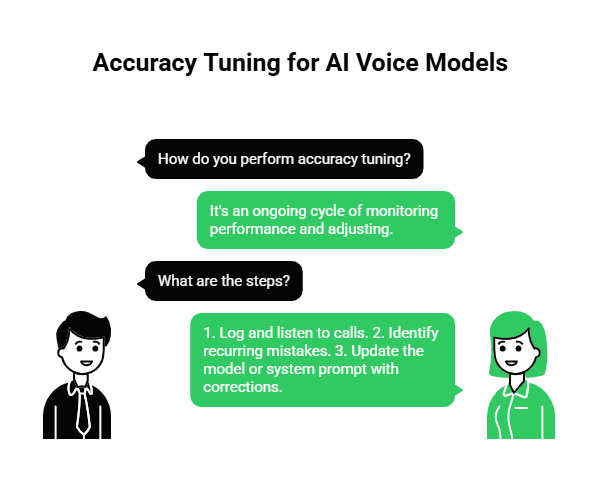
Step 1: Log and Listen
You must record calls. FreJun makes this easy by providing access to call recordings and logs. You need to listen to a sample of calls every week.
Step 2: Identify Patterns
Look for recurring mistakes. Does the bot always fail when the user says their address? Does it struggle with numbers?
Step 3: Update the Model
If you are using a customizable model, feed these corrections back into it. If you are using a static API, update your system prompt. For example, tell the LLM: “The user might say an account number. It is always 10 digits long. If you hear 9 digits, ask them to repeat it.”
Why Is Low Latency Crucial for Error Correction?
We mentioned latency earlier as a cause of errors. But low latency is also the solution to fixing errors.
In a human conversation, if you misunderstand someone, you say “What?” immediately. The other person repeats themselves. It takes one second.
If an AI misunderstands, the user waits. And waits. And waits. Then the AI says something wrong. The user tries to correct it. The AI talks over them. It becomes a mess.
FreJun AI is engineered for low latency. By minimizing the time it takes to stream media, we allow the AI voice agent API to react instantly. If the confidence score of the transcription is low, the bot can instantly ask, “Sorry, did you say 50?” without a long pause. This allows for real time error correction that feels natural.
Ready to lower your error rates with faster infrastructure? Sign up for FreJun AI to access our low latency media streams.
Also Read: Handling Parent Queries with Voice AI
How Does FreJun Teler Improve Call Reliability?
Audio quality starts at the network level. If your connection to the telephone network is weak, no amount of software can fix it.
This is where FreJun Teler comes in. Teler is our specialized telephony arm that provides elastic SIP trunking.
SIP Trunking is the digital version of a phone line. “Elastic” means it scales. But more importantly, Teler is built for reliability. We have direct interconnects with major carriers. This reduces the number of “hops” a call takes across the internet.
Fewer hops mean less chance for data to get lost. It means less jitter. It means the voice that arrives at your server is the exact voice the customer spoke. By building your AI voice agent API integration on top of FreJun Teler, you are building on a solid foundation.
What Are the Real World Costs of Voice Errors?
Errors are not just annoying. They are expensive.
1. Increased Handle Time
If the bot has to ask the user to repeat themselves three times, the call takes twice as long. This increases your telephony costs and frustrates the user.
2. Agent Escalation
When the bot fails, the user hits “0” to speak to a human. This defeats the purpose of automation. You end up paying for the software and the human agent.
3. Customer Churn
People hate repeating themselves. According to a study by Vonage, 61% of customers feel that IVRs and voicebots provide a poor experience. The primary reason is that the system does not understand them. If you provide a bad experience, they will leave for a competitor who listens better.
A Step by Step Guide to Reducing Errors
If you are a developer, here is your checklist to minimize errors in your voice application.
Step 1: Choose the Right Transport
Do not rely on standard web protocols that aren’t designed for voice. Use a platform like FreJun that specializes in real time media streaming (RTP).
Step 2: Implement Barge-In
Allow users to interrupt. If the bot misunderstands and starts reading the wrong script, the user will interrupt. If the bot keeps talking, the error compounds. FreJun’s infrastructure supports barge-in detection, allowing the AI voice agent API to stop audio playback instantly when the user speaks.
Step 3: Optimize Your Prompts
Don’t ask open ended questions if you can avoid it.
- Bad: “How can I help you?” (The user might say a paragraph of text).
- Good: “Are you calling about sales or support?” (The user will say one word).
Short answers are easier to transcribe accurately.
Step 4: Use Confidence Scores
Most transcription APIs return a “confidence score” along with the text. Use this.
- If confidence is > 90%, proceed.
- If confidence is < 50%, ask the user to repeat.
- If confidence is < 20%, transfer to a human.
Also Read: Automating Fee Reminders with AI Calls
Conclusion
Building a voice agent is easy. Building a good voice agent is hard. The difference lies in how you handle errors.
You cannot eliminate every mistake. Accents will happen. Dogs will bark in the background. But you can drastically reduce the impact of these factors by focusing on the fundamentals.
It starts with transcription error reduction techniques like custom vocabularies. It involves speech cleanup to filter out noise. But most importantly, it relies on a high speed, high quality infrastructure.
FreJun AI provides the bedrock for error free conversations. With FreJun Teler providing stable SIP trunking and our low latency media streaming delivering clear audio, we ensure your AI voice agent API has everything it needs to succeed. We handle the complex voice infrastructure so you can focus on building your AI.
Don’t let bad audio ruin your good code. Start with a clean stream and watch your accuracy rates soar.
Want to discuss how to optimize your voice pipeline? Schedule a demo with our team at FreJun Teler and let us help you tune your system for perfection.
Also Read: How Businesses Use Outbound Calls for Lead Generation & Pipeline Growth
Frequently Asked Questions (FAQs)
1. What is an AI voice agent API?
An AI voice agent API is a software interface that allows developers to integrate artificial intelligence into voice calls. It connects the phone network to AI models to enable automated conversations.
2. Why is my voicebot misunderstanding numbers?
Numbers are tricky because they sound similar (e.g., “fifty” vs “fifteen”). This is often due to audio compression. Using a high quality provider like FreJun to stream uncompressed audio can fix this.
3. What is Word Error Rate (WER)?
WER is the standard metric for measuring accuracy. It is the percentage of words the AI got wrong. If the AI misses 5 words out of 100, the WER is 5%.
4. How does FreJun reduce transcription errors?
FreJun reduces errors by providing a cleaner audio signal. We avoid the jitter and packet loss associated with cheap VoIP routes, ensuring the transcription engine receives high fidelity sound.
5. What is speech cleanup?
Speech cleanup involves processing the audio to remove background noise, echo, and static before it is sent to the AI. This helps the AI focus on the speech rather than the noise.
6. Can I train the AI to understand my industry terms?
Yes. Most APIs allow for “custom vocabulary.” You can upload a list of your product names or industry slang so the AI recognizes them immediately.
7. Why is latency a cause of errors?
High latency causes the user and the bot to talk over each other. This “crosstalk” confuses the transcription engine, leading to fragmented sentences and errors.
8. What is the role of FreJun Teler?
FreJun Teler provides the elastic SIP trunking connectivity. It ensures the call stays connected and the line quality remains high, which is the first step in preventing errors.
9. How do I handle accents?
The best way to handle accents is to use a top tier transcription model (like Whisper or Deepgram) and ensure the audio feeding into it is crystal clear. You cannot fix the accent, but you can fix the audio quality.
10. What is a confidence score?
A confidence score is a number (0 to 1) that the AI gives to its own translation. It tells you how sure it is that it heard correctly. Developers can use this to program fallback logic when the score is low.