
In the world of conversational AI, latency is the ghost in the machine. It is the invisible, fractional-second delay that can turn a magical, human-like interaction into a stilted, frustrating, and ultimately failed conversation. For a developer building voice bots, the relentless pursuit of minimizing this delay is not just a performance optimization; it is the single most critical factor in creating an experience that users will embrace.
You can have the most brilliant LLM in the world, but if its answers are delivered after a two-second pause of dead air, the agent will feel slow, unintelligent, and broken.
The challenge of reducing end-to-end call delay is a complex, multi-faceted problem. It is not a single issue that can be solved with a simple fix. It is a battle that must be fought on multiple fronts, from the underlying network infrastructure to the architecture of your AI pipeline.
This guide will provide a deep dive into the key sources of latency and offer a set of practical, actionable strategies for winning this critical battle, from rtp optimization techniques to building ultra-low-latency STT pipelines.
Table of contents
What is the Anatomy of Latency in a Voice Bot Conversation?
To defeat an enemy, you must first understand it. The total latency in a voice bot conversation, often called the “turn-taking delay,” is not a single number but the sum of a series of distinct processing and transit times.
The round-trip journey of a user’s utterance looks like this:
- Network Latency (Uplink): The time it takes for the user’s spoken audio packets to travel from their device, across the internet, to the voice platform’s server.
- STT (Speech-to-Text) Latency: The time it takes for the STT engine to receive the audio, process it, and transcribe it into text.
- LLM (Large Language Model) Latency: The time it takes for the AI “brain” to process the text, understand the intent, decide on a response, and generate the response text.
- TTS (Text-to-Speech) Latency: The time it takes for the TTS engine to synthesize the response text into audible speech.
- Network Latency (Downlink): The time it takes for the AI’s generated audio packets to travel from the server back across the internet to the user’s device.
A delay in any one of these stages contributes to the total end-to-end delay. A holistic optimization strategy must address all of them.
Also Read: The Role of Voice Calling SDKs in the Future of Voice AI and LLMs
Strategy 1: Conquer the Network with an Edge-Native Architecture
The single biggest and most variable source of latency is the network. The speed of light is the ultimate speed limit, and the physical distance that your audio data has to travel is the single biggest factor in network delay.
The Problem with Centralized Architectures
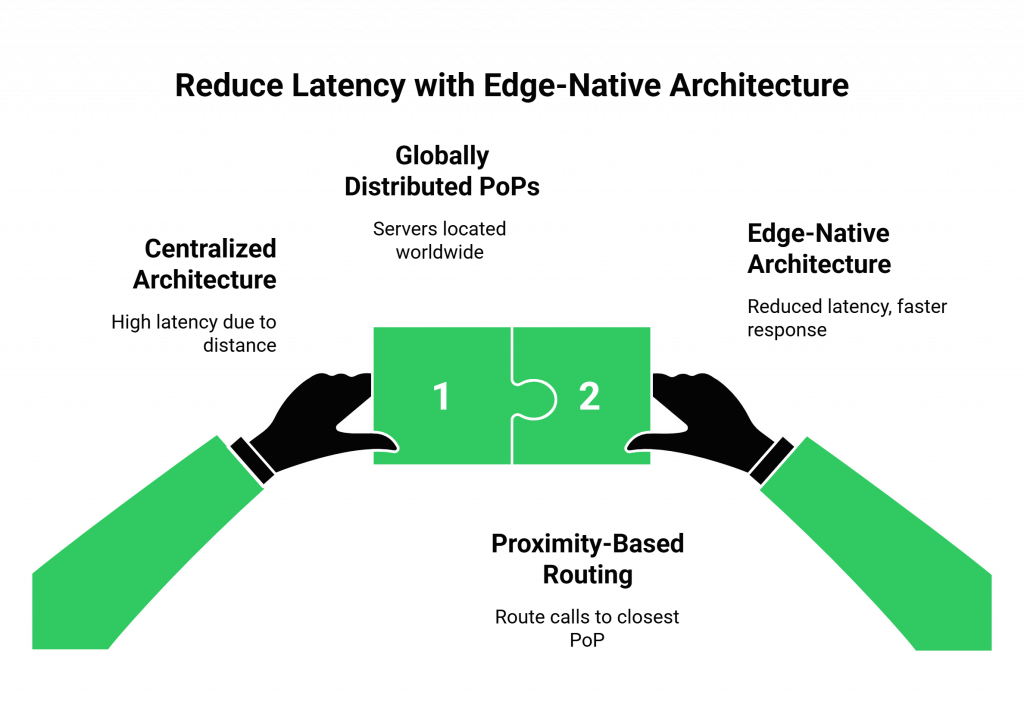
A traditional, centralized cloud architecture is a major source of latency. If your voice platform’s only servers are in a single data center in, for example, Virginia, USA, a call from a user in Tokyo, Japan, has to travel halfway around the world and back again. This can add hundreds of milliseconds of unavoidable delay before your AI even starts “thinking.”
The Edge-Native Solution
The solution is to move the “front door” of your voice platform as close to the user as possible. This is the core principle of an edge-native architecture.
- Globally Distributed Points of Presence (PoPs): A modern voice platform like FreJun AI is built on a global network of PoPs. These are smaller, distributed servers located in data centers all over the world.
- Intelligent, Proximity-Based Routing: When a user makes a call, the system automatically routes them to the PoP that is geographically closest to them. The Tokyo user’s call is handled by our Tokyo PoP.
- The Impact: This simple architectural choice can drastically reduce the round-trip network time, often shaving off 100-300ms of latency from the very start. For any developer building voice bots, choosing a platform with a true edge-native architecture is the most impactful decision they can make.
Strategy 2: Optimize the AI Pipeline for Speed
Once the audio has reached the edge server, the race against the clock continues in the software. Building ultra-low-latency stt pipelines and optimizing the entire AI processing loop is the next critical step.
The Importance of Streaming in STT and TTS
A common mistake is to “buffer” the entire audio before processing.
- The Slow Way: Wait for the user to finish their entire sentence, then send the complete audio file to the STT engine. Wait for the TTS to generate the entire response audio file, then start playing it.
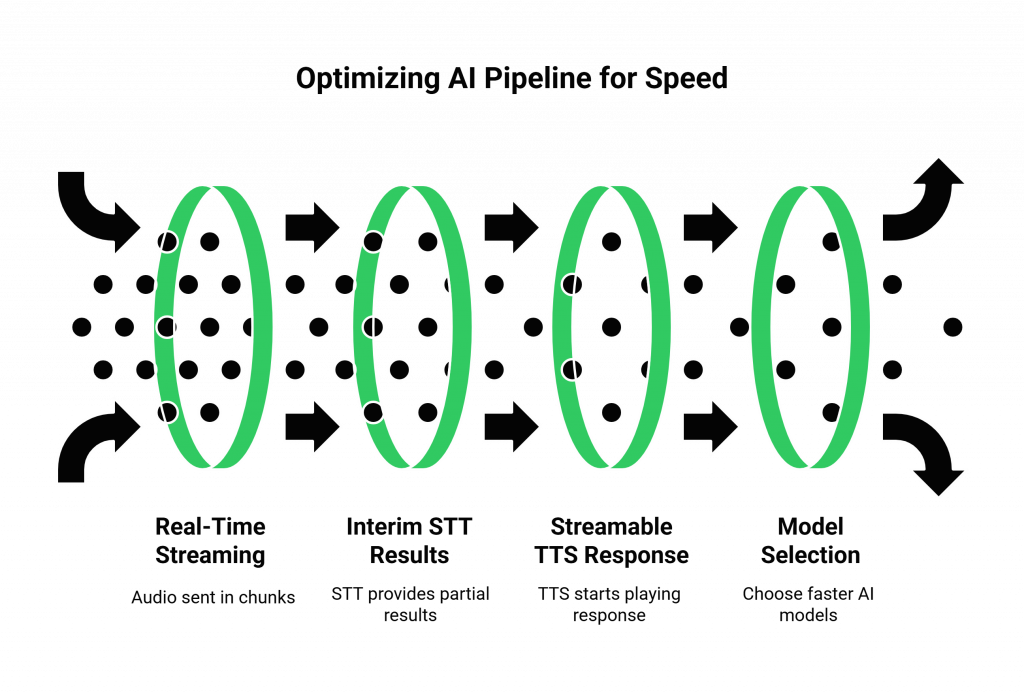
- The Fast Way (Streaming): The moment the user starts speaking, the voice platform should begin optimizing media streaming and sending the audio to the STT engine in real-time chunks. A good STT can provide “interim” results as the user is talking. Similarly, a streamable TTS can start playing the beginning of the AI’s response while the end of the sentence is still being generated. This creates a massive overlap in processing and can cut hundreds of milliseconds off the perceived latency.
Also Read: Integrating a Voice Calling SDK with Your AI Model: Step-by-Step Guide
Choose Your Models Wisely
Not all AI models are created equal when it comes to speed.
- LLM Speed vs. Size: Larger, more complex LLMs are often more intelligent, but they are also slower. For a real-time voice conversation, you may need to choose a smaller, faster model that is optimized for low-latency responses, even if it is slightly less powerful than the largest models.
- TTS “Time to First Byte”: When evaluating TTS providers, one of the most critical metrics is the “time to first byte” (TTFB), how quickly it can start generating the audio stream after it receives the text.
Ready to build on a platform that is obsessively engineered for low latency at both the network and the media layer? Sign up for FreJun AI and explore our real-time infrastructure.
Strategy 3: Control the Chaos of the Real-World Network
Even with the best infrastructure, the public internet is an unpredictable place. Jitter and packet loss control are essential for maintaining a high-quality, low-latency connection.
This table highlights the key network issues and how a modern voice platform combats them.
| Network Problem | What It Is | How It Impacts Latency & Quality | How a Modern Platform Mitigates It |
| Latency | The delay in packet travel time. | The primary cause of the “pause” in a conversation. | Edge-native architecture and intelligent routing. |
| Jitter | The variation in the arrival time of packets. | Causes the audio to sound choppy and garbled. | An adaptive jitter buffer on the client and server side smooths out the packet arrival. |
| Packet Loss | When some of the audio packets are lost in transit. | Causes gaps and dropouts in the audio. | AI-powered Packet Loss Concealment (PLC) can intelligently “fill in” the missing audio. |
The Importance of RTP Optimization Techniques
The Real-time Transport Protocol (RTP) is the protocol used to carry the audio. A modern voice platform employs several rtp optimization techniques to ensure the smoothest possible stream. This includes using efficient and resilient audio codecs (like Opus, which is designed to handle variable network conditions) and implementing sophisticated jitter buffering and packet loss concealment algorithms.
A recent study on VoIP quality showed that the Opus codec can provide significantly better audio quality at lower bitrates and in worse network conditions than older codecs, making it the gold standard for modern voice applications.
Also Read: Why Latency Matters: Optimizing Real-Time Communication with Voice Calling SDKs
Conclusion
The process of building voice bots that feel truly human and conversational is a relentless war against the speed of light and the imperfections of the internet. Reducing end-to-end call delay is not achieved by a single magic bullet, but by a holistic, multi-layered strategy of optimization.
It begins with choosing a voice platform built on a globally distributed, edge-native architecture. Next, it involves building ultra-low-latency STT pipelines and using streaming at every stage. Finally, it requires mastery of RTP optimization techniques to make the audio stream both fast and resilient.
Want a technical deep dive into how our edge-native architecture and real-time media streaming capabilities can help you build your low-latency voice bot? Schedule a demo with our team at FreJun Teler.
Also Read: Call Center Automation vs. Manual Operations: Which Is Better in 2025?
Frequently Asked Questions (FAQs)
While every stage contributes, the single biggest factor is often network latency, which is the time it takes for audio data to travel across the internet. This is primarily determined by the physical distance between the user and the server.
An edge-native architecture uses a global network of servers (Points of Presence). It automatically connects a user’s call to the server that is physically closest to them. This drastically shortens the data’s travel distance, which is the most effective way of reducing end-to-end call delay.
A streamable STT (Speech-to-Text) can start transcribing audio as it receives it, in real-time chunks. A streamable TTS (Text-to-Speech) can start playing the beginning of a sentence’s audio while the end is still being generated. Using these is a key part of building ultra-low-latency stt pipelines.
Jitter is the variation in the arrival time of audio packets, which can make audio sound choppy. Packet loss is when audio packets are lost in transit, causing gaps or dropouts in the sound. Effective jitter and packet loss control is essential for high-quality audio.
Opus is a modern, highly efficient audio codec that delivers excellent quality even on unstable or low-bandwidth internet connections. It serves as one of the key RTP optimization techniques for modern voice applications.