
Imagine you are a software developer working on a new AI receptionist for a dentist office. You are testing a new feature where the AI tells jokes to patients while they wait on hold. You write the code and hit “save.”
Suddenly your phone rings. It is your boss. He is angry. Apparently the system just told a terrible “knock knock” joke to a patient who was calling about a toothache.
What went wrong? You pushed your testing code to the live phone line. You mixed up your environments.
This is a developer’s worst nightmare. But it is also completely preventable. The solution lies in a small string of characters called the AI Voice API Key.
Most people think an API key is just a password. It is just a way to log in. But in the world of voice AI it is much more than that. It is a traffic controller and a switch. It determines whether a call goes to a real customer or a test dummy. API key controls which AI brain answers the phone and how much money the call costs.
In this guide we will explore how smart developers use environment-based keys to control dynamic call behavior. We will look at how to separate your testing from your real business and how infrastructure platforms like FreJun AI use these keys to keep your voice applications safe and scalable.
Table of contents
- What Is an AI Voice API Key?
- Why Is Separating Environments Critical?
- How Do You Implement Environment Based Keys?
- How Does the Key Control Infrastructure Routing?
- How Can Keys Control AI Model Selection?
- How Do Environment Based Keys Prevent Financial Disaster?
- What Is the Role of Logging and Debugging?
- How Do You Rotate Keys for Security?
- How Does FreJun Teler Enhance Production Traffic?
- What Are the Best Practices for Key Management?
- Conclusion
- Frequently Asked Questions (FAQs)
What Is an AI Voice API Key?
At its simplest level an AI Voice API Key is a unique code that identifies your application to the voice provider. When your server wants to make a call it sends this key along with the request. The provider checks the key and says “Okay this is Company X. They are allowed to make calls.”
But modern keys are smarter. They carry “metadata” or rules attached to them.
Think of it like a key card for a hotel.
- Guest Key: Opens only Room 101.
- Staff Key: Opens all rooms and the laundry room.
- Manager Key: Opens everything and the safe.
They look like the same plastic card but they trigger completely different behaviors in the electronic lock.
In voice development we use this same logic. We generate different keys for different purposes. One key might trigger a live call via FreJun Teler while another key simulates a call for testing without ever dialing a real phone number.
Why Is Separating Environments Critical?
In software development we have a rule. Never test in production.
Production is your live environment. It is where real customers are. Staging is your practice environment. It is a clone of production where you can break things safely.
The problem with voice is that it connects to the real physical world. If you break a website only the website looks weird. If you break a voice app you might call 500 people at 3 AM by mistake.
According to a report by Synopsys, the cost of poor software quality in the US alone has grown to over $2 trillion. A huge portion of this cost comes from bugs that escape into production.
Using separate staging vs production voice APIs keys is your safety net.
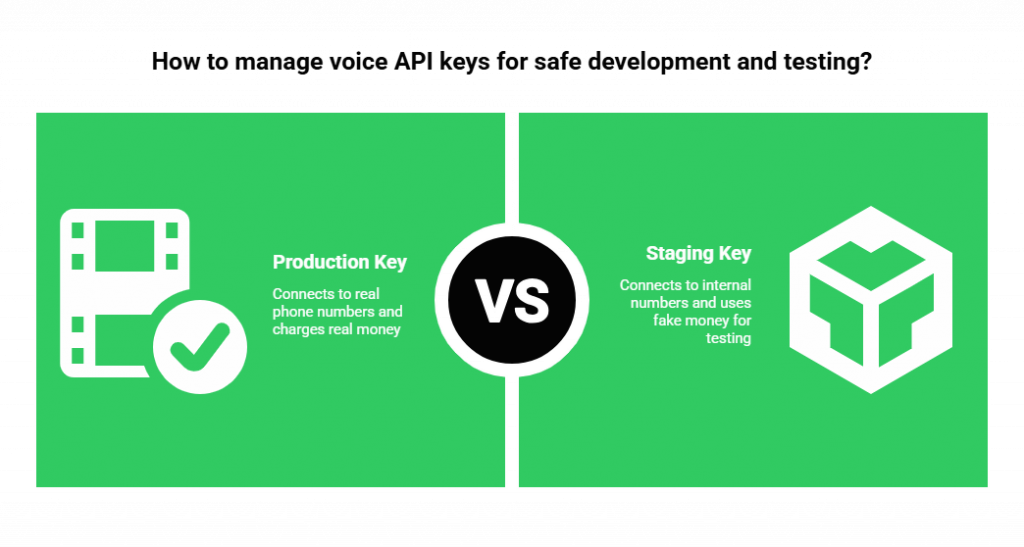
- The Production Key: Connects to real phone numbers. Charges real money. Uses the best AI models.
- The Staging Key: Connects to a “sandbox” or internal numbers only. Uses fake money or free credits. Uses faster or cheaper models for testing.
By swapping the key you change the entire behavior of the application without rewriting the code.
Also Read: On-Device Ready Voice Recognition SDK for Faster Responses
How Do You Implement Environment Based Keys?
Let us look at how this works in practice. This is part of modern dev workflows.
When you write your application you do not hard code the key. You do not write key = “12345”. Instead you write key = get_environment_variable().
- Local Development: On your laptop the variable loads a “Dev Key.” When you run the app it sends calls to a simulator.
- Staging Server: When you push code to the staging server it loads a “Staging Key.” Now the app calls your personal cell phone for testing but cannot call customers.
- Production Server: When you deploy to the live server it loads the “Production Key.” Now the app works for the public.
The code logic is identical in all three places. The AI Voice API Key is the only thing that changes. It tells the FreJun infrastructure how to handle the request.
How Does the Key Control Infrastructure Routing?
This is where FreJun AI shines. We handle the complex voice infrastructure so you can focus on building your AI.
When FreJun receives a request we look at the API key first. This key tells us which “pipe” to send the call down.
If the key is flagged for “High Reliability,” we route the call through FreJun Teler. This utilizes our elastic SIP trunking network. It ensures the call takes the highest quality path with the lowest latency. This is crucial for your live AI agents that need to sound human.
If the key is flagged for “Development,” we might route the call through a standard path that is cheaper but sufficient for testing logic.
Here is a comparison of how different keys dictate behavior:
| Feature | Staging / Dev Key | Production Key |
| Routing | Standard / Sandbox | Premium Low Latency (FreJun Teler) |
| Cost Limit | Capped (e.g. $10/day) | Uncapped or High Limit |
| Phone Numbers | Whitelisted (Internal only) | Global Access (Any number) |
| Logging | Verbose (Full debug mode) | Standard (Compliance logs) |
| AI Model | Turbo / Light Models | GPT-4 / Advanced Models |
| Recording | Always On (For debugging) | Optional (For privacy) |
How Can Keys Control AI Model Selection?
Dynamic behavior is not just about the phone line. It is also about the brain.
Running a powerful AI model like GPT-4 is expensive. You do not want to waste that money on thousands of automated tests.
You can configure your application to select the AI model based on the AI Voice API Key.
- Logic: If Key.type == ‘Staging’ use ‘GPT-3.5-Turbo’
- Logic: If Key.type == ‘Production’ use ‘GPT-4’
This saves a massive amount of money. Your developers get fast responses for testing. Your customers get smart responses for solving problems. The API key acts as the switch that toggles between “Economy Mode” and “Luxury Mode.”
Ready to take control of your voice environments? Sign up for FreJun AI and generate your keys today.
How Do Environment Based Keys Prevent Financial Disaster?
Cloud spending is a major concern for businesses. It is easy to leave a script running overnight and wake up to a massive bill. Environment-based keys help you lock this down. With FreJun you can set spending limits on specific keys.
- Key A (Interns): Limit $50 per month. If they write a loop that calls a number 10,000 times the key stops working after $50. The disaster is contained.
- Key B (Production): No limit (or a very high alert threshold) to ensure customer calls never get blocked.
This control allows you to innovate without fear of bankruptcy.
Also Read: Voice API for Bulk Calling That Shapes Large-Scale Enterprise Communication
What Is the Role of Logging and Debugging?
When you are fixing a bug you need data. You need to see exactly what the AI heard and exactly what it thought. This is called “verbose logging.”
However you cannot store that much data for every single customer call. It is too expensive and it might violate privacy laws.
The AI Voice API Key solves this.
- When using a Dev Key FreJun can return full debug logs. We show you the latency of the media stream. We show you the raw text from the transcriber.
- When using a Prod Key FreJun keeps the logs clean and minimal. We store only what is necessary for compliance.
This dynamic behavior allows your engineers to see the matrix while your compliance team stays happy.
How Do You Rotate Keys for Security?
Sometimes a key gets stolen. Maybe a developer accidentally posted it on GitHub.
If you only had one key for everything you would be in trouble. You would have to shut down your entire business to change the password.
By using granular keys you can “rotate” them safely.
- Generate a new Production Key in the FreJun dashboard.
- Update your server configuration.
- Delete the old compromised key.
Because you have separated your concerns losing a Staging Key is a minor annoyance not a business crisis. You simply delete it and make a new one.
How Does FreJun Teler Enhance Production Traffic?
We mentioned FreJun Teler earlier but it deserves a deeper look. Teler is our enterprise telephony arm. It is designed for scale.
When you deploy your application to production you need to know it can handle the load. If you launch a marketing campaign and 1,000 people call at once a standard phone line will crash.
Your Production AI Voice API Key unlocks the power of Teler’s elastic SIP trunking.
- Elasticity: The capacity expands automatically.
- Redundancy: If one data center has an issue the traffic reroutes instantly.
- Clarity: We prioritize voice packets to prevent jitter and robot voice.
By binding your production environment to Teler via the API key you guarantee that your most important calls get the VIP treatment.
What Are the Best Practices for Key Management?
If you are setting up your dev workflows here are the golden rules.
1. One Key Per Service
Do not share keys. Give the “Billing App” one key and the “Support Bot” a different key. This helps you track who is spending money.
2. Label Your Keys
In the FreJun dashboard verify you name your keys clearly. “Prod_Main_App” is better than “Key_1.”
3. Cycle Regularly
Change your keys every few months. It is good hygiene.
4. Use Environmental Variables
Never write a key inside your code files. Always store them in a secure .env file or a secrets manager.
Also Read: Next Generation Voice Recognition SDK for AI Automation
Conclusion
The AI Voice API Key is the steering wheel of your voice application. It is not just a security token. It is a powerful tool that allows you to control how your application behaves in different contexts.
By using staging vs production voice APIs you protect your customers from bugs. By utilizing environment-based keys you protect your bank account from waste. And by leveraging infrastructure like FreJun AI you ensure that your production calls are always routed through the highest quality networks.
Building great voice AI is hard enough. You do not need the added stress of messy deployments. Use your keys wisely to create safe, scalable, and efficient dev workflows. FreJun handles the complex voice infrastructure so you can focus on building your AI.
Want to discuss how to structure your voice environments? Schedule a demo with our team at FreJun Teler and let us help you build a robust architecture.
Also Read: How to Choose the Right Call Routing Software for Remote Teams
Frequently Asked Questions (FAQs)
A Staging key is used for testing and development. It usually has spending limits and connects to test numbers. A Production key is for live traffic. It connects to real customers and utilizes high performance infrastructure like FreJun Teler.
You can but you should not. Using one key creates high risk. If that key is compromised your entire system is vulnerable. It also makes it impossible to separate testing data from real customer data.
FreJun charges based on usage (minutes called). You can generate as many keys as you want for free. You only pay when you use them to make calls.
You should use “Environment Variables.” Your code asks the server “Where am I?” If the server says “I am Staging,” the code loads the Staging Key.
It is a method of delivering voice over the internet that scales automatically. FreJun Teler provides this service ensuring you have unlimited lines available for your production calls.
Yes. For a Dev Key you can create a “Whitelist.” You can tell the key “You are only allowed to call the developer’s cell phone.” If the AI tries to call a random number the API blocks it.
The key tells the FreJun system how to route the call. A Production key will route via premium low latency paths to ensure the best quality for the user. A Dev key might use a standard path that is sufficient for functional testing.
You should revoke it immediately in the FreJun dashboard. This stops anyone else from using it. Then generate a new one and update your application.