
Have you ever found yourself talking to your phone because your hands were too busy to type? Perhaps you were driving or cooking a meal. You simply asked a question and your phone gave you the answer instantly. This magic happens because of a specialized tool called a voice recognition software API. For a long time, only big tech companies could build these tools.
Today, any developer can add this feature to their own website or mobile app. Voice search makes technology feel more human and much easier to use. In this guide, we will explore exactly how you can use a voice recognition software API to transform how people interact with your software.
We will show you how to move from simple typing to a modern world where users enjoy a seamless voice search integration.
Table of contents
- What is a Voice Recognition Software API?
- Why Should You Add Voice Search to Your Application?
- How Does Voice Search Integration Work?
- What Are the Key Steps to Implement Voice Search?
- What is Voice Driven Navigation and Why Does It Matter?
- How Can FreJun AI Simplify Your Voice Search Infrastructure?
- What Challenges Should You Expect During Voice Search Integration?
- How to Optimize Your Voice Search for Better Results?
- The Future of Voice Search and Recognition
- Conclusion
- Frequently Asked Questions (FAQs)
What is a Voice Recognition Software API?
A voice recognition software API is a set of rules that lets two different pieces of software talk to each other. Specifically, it takes the sound of a human voice and turns it into text that a computer can understand. Think of it as a digital translator. One side of the API listens to the audio while the other side provides a written transcript.
When you build an app, you do not want to build the entire science of sound processing from scratch. That would take years and millions of dollars. Instead, you use an API. This allows you to focus on your specific app features while the API handles the difficult math of identifying speech patterns.
FreJun AI plays a critical role here by acting as the voice transport layer. While the API handles the recognition, FreJun AI ensures that the audio travels from the user to the AI model with zero trouble. We handle the complex voice infrastructure so you can focus on building your AI.
Why Do We Call it an API?
API stands for Application Programming Interface. It is like a menu in a restaurant. You do not need to know how the chef cooks the food; you just need to know how to order from the menu. When you use a voice recognition software API, you “order” a transcription by sending audio data. The API then “serves” you the text. This allows for a fast and efficient workflow for any developer.
Also Read: How Startups Can Launch Voicebots Fast?
Why Should You Add Voice Search to Your Application?
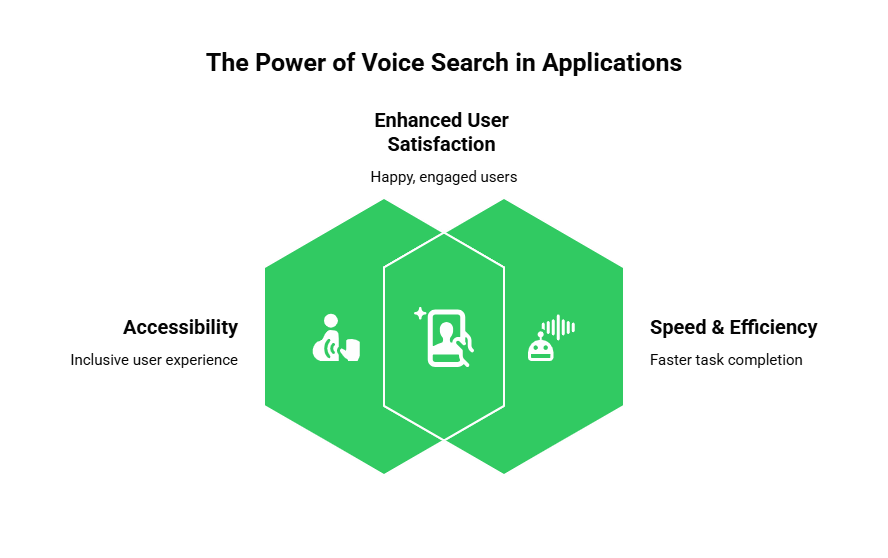
Adding voice features is no longer just a luxury. It is becoming a standard expectation for many users. People can speak much faster than they can type. This makes voice search the preferred method for many on the go tasks. In fact, reports show that there are now over 4.2 billion digital voice assistants in use around the world. This number proves that people love using their voices to control technology.
Improving Accessibility
Voice search is a game changer for people with disabilities. Someone who has trouble seeing or using their hands can navigate an app much better with their voice. By choosing a high quality voice recognition software API, you make your software more inclusive. This opens your business to a much wider audience.
Speed and Efficiency
Most people can speak about 150 words per minute, but they can only type about 40 words per minute on a phone. Voice search integration allows your users to find what they need in a fraction of the time. This leads to happier users who are more likely to return to your app.
How Does Voice Search Integration Work?
To add voice search, you need a clear plan. The process follows a specific conversational loop. It starts with a sound and ends with a response. Every step in this loop must be fast and accurate.
- Audio Capture: The app uses the microphone on the device to record the user.
- Streaming: The audio is sent to the cloud. This is where FreJun AI shines. FreJun captures low latency audio and streams it to your chosen AI services.
- Transcription: The voice recognition software API converts the audio into text.
- Intent Discovery: The app looks at the text to figure out what the user wants.
- Action: The app performs the search or navigates to a new page.
The Role of Real Time Media Streaming
If there is a long pause after the user speaks, they will think the app is broken. This is why low latency is so important. FreJun AI is designed for speed. It ensures that the audio reaches the transcription engine immediately. This real time processing eliminates awkward silences and makes the interaction feel like a real conversation.
What Are the Key Steps to Implement Voice Search?
Now that we understand the “why” and “how,” let us look at the specific steps to get it running. You do not need to be a world class expert to do this. You just need to follow a logical path.
Step 1: Choose Your Voice Recognition Software API
There are many options available. Some are better at different languages, while others are faster. Since FreJun AI is model agnostic, you have the freedom to choose any API you like. You can bring your own Speech to Text (STT) and Text to Speech (TTS) engines. This gives you full control over the quality and cost of your voice search integration.
Step 2: Set Up Your Developer Environment
You will need to sign up for the API service and get your API keys. You will also need to integrate a voice infrastructure platform like FreJun AI. FreJun provides a developer first toolkit. This includes SDKs for both the client side and server side. These tools help you manage call logic and audio streaming without writing thousands of lines of code.
Ready to build the intelligent brain for your next-generation support system? Sign up for FreJun AI to get your API keys and start building today.
Step 3: Manage Device Permissions
Before your app can listen, it must ask the user for permission. This is an important security step. You must write code that asks for microphone access in a clear and friendly way. If the user says no, the app should explain why voice search is helpful.
Step 4: Handle Spoken Queries
Once you have the text from the voice recognition software API, you need to handle the spoken queries. This means your app must understand synonyms. If a user says “Find me a pizza place” or “Search for pizza,” the app should know they mean the same thing. This is often done using Natural Language Processing (NLP).
What is Voice Driven Navigation and Why Does It Matter?
Voice search is often the first step toward voice driven navigation. This is when a user controls the entire app using only their voice. Instead of clicking “Settings,” they just say “Open settings.” This creates a hands free experience that is perfect for many situations.
| Feature | Text Search | Voice Search |
| Input Method | Keyboard/Touch | Microphone/Voice |
| Average Speed | 30 to 40 words per minute | 130 to 150 words per minute |
| Hands Free | No | Yes |
| Accessibility | Limited | High |
| Context Sensitivity | Low | High (uses tone and intent) |
| Latency Requirement | Low | Extremely Low (Real time) |
Creating a Natural Flow
When you implement voice driven navigation, you want the app to feel like a helpful assistant. If a user is on a shopping app and says “Show me blue shirts,” the app should move to the shirt category and apply a blue filter. This requires a strong connection between your voice recognition software API and your app’s internal logic. FreJun AI helps maintain this connection by ensuring the conversational context is never lost during the audio stream.
Also Read: How Travel Firms Use Inbound Call Handling?
How Can FreJun AI Simplify Your Voice Search Infrastructure?
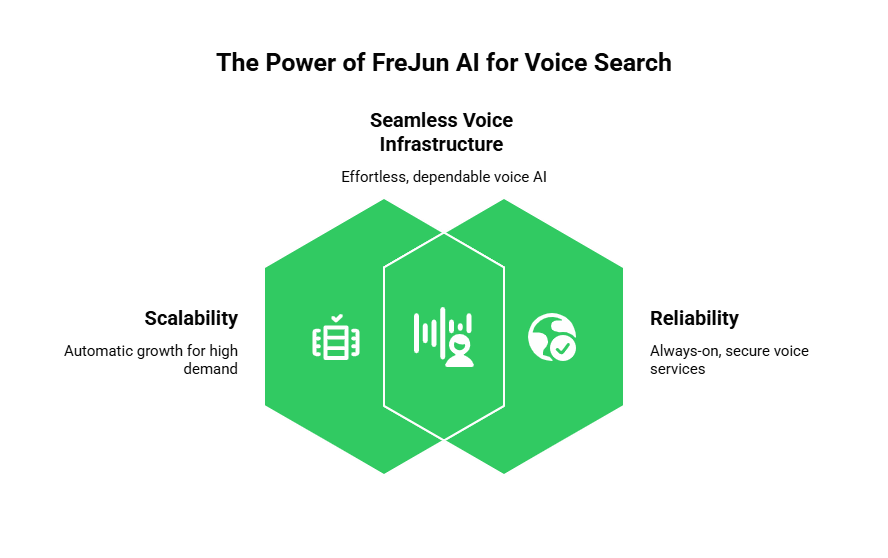
Building the infrastructure for voice is the hardest part of the project. You have to worry about audio formats, network jitter, and server reliability. This is exactly what FreJun AI handles for you. FreJun acts as the “plumbing” of voice AI. It abstracts away the telephony complexity.
Elastic SIP Trunking for Scalability
What happens if your app suddenly becomes famous? If thousands of people use voice search at the same time, your servers might crash. FreJun AI uses elastic SIP trunking. This means the infrastructure grows automatically to handle as many calls as you need. You do not have to worry about busy signals or dropped connections.
High Availability and Reliability
FreJun is built for enterprise grade reliability. Its infrastructure is geographically distributed. This ensures that your voice agents are always available, no matter where your users are located. When a user sends spoken queries, FreJun ensures the audio is captured clearly and transmitted securely. This security by design protects user data and builds trust in your brand.
What Challenges Should You Expect During Voice Search Integration?
While using a voice recognition software API is easier than building one, there are still challenges. You must plan for these to ensure a professional result.
Background Noise
Users will not always be in a quiet room. They might be at a loud coffee shop or walking on a windy street. A good integration uses noise cancellation. You should also choose a voice recognition software API that is strong enough to filter out background sounds.
Different Accents and Dialects
People speak in many different ways. If your app only understands one type of accent, you will frustrate many users. It is important to test your integration with a diverse group of people. Because FreJun AI is model agnostic, you can switch between different recognition engines until you find the one that works best for your specific audience.
Internet Connectivity
Voice search requires a data connection. If the user has a weak signal, the search might fail. You should design your app to handle these moments gracefully. If the connection is lost, the app should tell the user to try again or offer a text based search instead.
How to Optimize Your Voice Search for Better Results?
To truly succeed with a voice recognition software API, you should go beyond the basics. Optimization makes the difference between a tool that works and a tool that people love.
Use Full Conversational Context
A search is rarely just one question. A user might say “What is the weather in New York?” and then follow up with “Will it rain there tomorrow?” Your system should know that “there” means New York. FreJun AI provides full conversational context management. This allows your AI to keep track of the history of the conversation, making it feel much smarter.
Focus on Low Latency
We cannot say this enough. Speed is the most important feature of voice search. Use the FreJun SDKs to optimize your audio streams. By capturing raw audio and processing it in real time, you eliminate the delays that ruin the user experience.
Also Read: AI Voicebots for Hotel Reservations Made Easy
The Future of Voice Search and Recognition
The world is moving toward a voice first future. We are seeing more smart homes, voice controlled cars, and AI assistants. By learning how to use a voice recognition software API today, you are preparing your business for the next decade of technology. Voice search integration is just the beginning. Soon, every app will have a voice, and users will expect to talk to their software just like they talk to a friend.
FreJun AI is here to make that journey easier. By handling the complex telephony and streaming layers, we let you focus on the creative part of your project. You can build the most intelligent AI while we ensure the voice transport is perfect. Whether you are building an AI receptionist or a complex voice driven navigation system, having the right infrastructure is the key to success.
Conclusion
Adding voice search to your application is a smart move that improves speed, accessibility, and user satisfaction. By using a powerful voice recognition software API, you can give your users a modern way to interact with your brand. The process involves capturing audio, streaming it through a reliable platform like FreJun AI, and using an AI model to understand the user’s intent.
Remember that speed and low latency are the most important factors for a good experience. FreJun AI handles the complex voice infrastructure so you can focus on building your AI.
With features like elastic SIP trunking and enterprise grade reliability, FreJun ensures your voice search integration can grow with your business. Start building today and lead the way in the voice first revolution.
Want to do a deep architectural dive into the infrastructure required to power a high-performance, enterprise-grade voicebot? Schedule a demo with our team at FreJun Teler.
Also Read: UK Phone Number Formats for UAE Businesses
Frequently Asked Questions (FAQs)
Voice recognition often refers to identifying a specific person’s voice. However, in the world of APIs, people often use the term to mean Speech to Text (STT). STT is the process of turning spoken words into written text so a computer can process them.
No, most APIs are cloud based. You send the audio to the API provider’s servers, and they send back the text. However, you do need a reliable transport layer like FreJun AI to ensure the audio reaches those servers quickly and without any data loss.
Yes, you can. FreJun AI provides SDKs for both web and mobile platforms. This allows you to create a consistent voice search integration across all the devices your customers use.
The cost varies depending on the provider. Most charge based on the number of minutes of audio processed. Because FreJun is model agnostic, you can compare different providers and choose the one that fits your budget.
Spoken queries are the questions or commands that a user says out loud to a device. For example, “What time is it?” is a spoken query. Handling these queries requires both transcription and an understanding of the user’s goal.
It requires a bit more work than a simple search. You need to map specific spoken commands to actions in your app. Using a developer friendly toolkit like the one from FreJun AI makes this process much faster by managing the underlying audio streams.
FreJun focuses on clear audio transport and low latency. While the voice recognition software API you choose will handle the actual noise filtering, FreJun ensures that the raw audio is captured in high quality, giving the recognition engine the best possible data to work with.
Latency is the delay between speaking and getting an answer. In voice search, even a one second delay can feel like a long time. High latency makes users feel frustrated. FreJun AI is optimized for low latency to keep conversations moving at a natural pace.
Elastic SIP trunking is a telephony technology that lets your voice system scale up or down automatically. This is a key feature of FreJun Teler. It ensures your app can handle many simultaneous voice searches during busy times without any technical issues.
Yes! You can use a Text to Speech engine along with your voice recognition software API. Your app takes the user’s voice, processes the text, generates a response, and then FreJun AI streams that audio response back to the user in real time.