
The modern application experience is no longer confined to a single screen. It is a fluid, multi-platform journey that follows the user from their laptop at their desk to their smartphone on the go. In this environment, the ability to embed seamless, high-quality, real-time communication directly into your application is a massive competitive advantage.
Whether it is a “click-to-call” button in a web-based CRM or an in-app support call in a mobile banking app, the goal is the same: to create a low-friction, contextual, and deeply integrated communication experience. The technology that makes this possible across every platform is the modern voice API for developers.
A common misconception is that a voice API is only for making and receiving traditional phone calls (PSTN). While that is a core function, a truly powerful cross-platform voice api does far more. It provides a comprehensive toolkit, including a voice API for web apps and a mobile voice SDK, that allows developers to build rich, IP-based voice experiences that live entirely within their own applications.
This guide will explore the architecture and the key components that a modern voice API for developers uses to power these immersive, cross-platform voice applications.
Table of contents
The Challenge: Moving Beyond the “Dumb” Phone Call
The traditional phone call is a “dumb” pipe. When a user leaves your website or mobile app to make a traditional PSTN call, you lose all context and control.
- Loss of Context: The agent on the other end has no idea who the user is, what they were just looking at in your app, or what their issue is. The user is forced to start from scratch, a major source of frustration.
- Loss of Control: The call happens “outside” of your application’s ecosystem. You cannot control the user interface, you cannot easily record the call for quality assurance, and you cannot gather any deep analytics about the interaction.
- High Friction: The simple act of switching from an app to the phone’s native dialer, manually typing in a number, and then navigating an IVR is a high-friction process that many users will simply abandon.
Also Read: How Voice API Benefits For Businesses Improve Team Efficiency?
The Solution: The “Three-Legged Stool” of In-App Voice
To create a seamless in-app voice experience, a modern voice API for developers provides a “three-legged stool” of essential components: a powerful client-side SDK, a robust backend API, and a globally distributed media infrastructure.
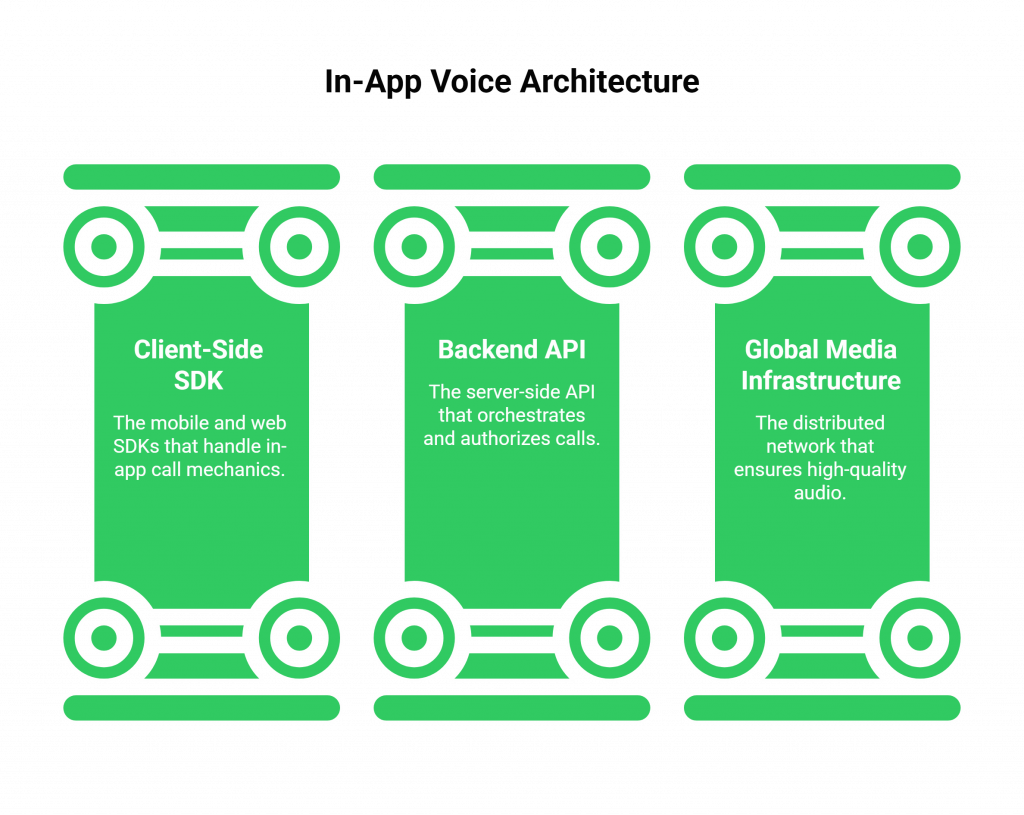
Leg 1: The Client-Side SDK (The “In-App Phone”)
This is the component that lives inside your application. It is the mobile voice sdk for your iOS and Android apps, and the JavaScript voice api for web apps.
- What It Does: This SDK is a software library that handles all the complex, client-side mechanics of a voice call. It provides the functions to access the device’s microphone and speaker, to establish a secure connection to the voice platform, and to manage the in-call user interface (like a mute button or a speakerphone toggle).
- The Abstraction: It abstracts away the immense complexity of the underlying real-time communication protocols (like WebRTC). Your developer does not need to be a WebRTC expert; they can simply call a high-level function like device.connect() to start a call.
Leg 2: The Backend API (The “Orchestrator”)
This is the brain of your communication logic. Your own backend server uses the provider’s server-side voice api for developers to control and orchestrate the call.
- What It Does: Before a client can make or receive a call, your backend must authorize it. It authenticates the user, determines their permissions, and uses the provider’s API to generate a short-lived, limited-permission access token, which it then passes to the client-side SDK.
- The Control: Your backend also uses the API to define what happens when a call connect. For example, when a user in your app clicks “call support,” the SDK connects to the voice platform, and the platform then asks your backend, “What should I do with this call?” Your backend can then respond with a command to connect the call to a human agent, an AI voicebot, or a conference bridge.
Leg 3: The Global Media Infrastructure (The “Network”)
This is the powerful, globally distributed network that the SDK and the API connect to.
- What It Does: This is the engine that does all the heavy lifting. It is responsible for the real-time audio stability, for mixing the audio between the participants, and for intelligently routing the media packets around the world with the lowest possible latency. A provider like FreJun AI has a network of media servers (our Teler engine) in data centers all over the globe to ensure a high-quality connection for every user.
This three-legged stool architecture provides the perfect combination of client-side simplicity, server-side control, and global-scale performance.
Also Read: Voice API Benefits for Businesses Enabling Multilingual Conversations
This table provides a clear overview of the responsibilities of each component.
| Component | Primary Role | Key Functions |
| The Client-Side SDK | The “In-App Phone.” | Accesses microphone/speaker, manages the connection, provides UI tools. |
| The Backend API | The “Orchestrator.” | Authenticates users, generates access tokens, defines call routing and logic. |
| The Global Media Infrastructure | The “Network.” | Processes and mixes real-time audio, ensures low-latency and high-quality connections. |
Ready to embed a powerful, cross-platform voice experience directly into your own applications? Sign up for FreJun AI
A Real-World Example: An In-App “Click-to-Call Support” Feature
To see how this all works together, let’s trace the data flow for a common and powerful use case: a customer is in your mobile banking app, has a question about a transaction, and clicks the “Talk to an Agent” button.
- The Click: The user clicks the button in your mobile app.
- The Token Request: Your mobile app makes a secure, authenticated request to your own backend server.
- The Authorization: Your backend server verifies that the user is logged in. It then makes an API call to the FreJun AI voice API for developers to generate a temporary access token. This token essentially says, “User Sarah is allowed to make one call to the ‘Support’ queue.”
- The SDK Initializes: Your backend sends this access token back to your mobile app. Your app uses this token to initialize the mobile voice sdk.
- The Connection: The SDK uses the token to establish a secure, real-time connection to the nearest FreJun AI media server.
- The Call is Placed: The SDK now has a live connection. It tells the media server, “I want to place a call.”
- The Backend is Consulted: The FreJun AI platform then sends a webhook to your backend server, asking, “This call from Sarah has been placed. What should I do with it?”
- The Connection to the Agent: Your backend responds with a command to “Dial agent John” or “Place this call into the ‘Support’ queue.”
- The Conversation: The FreJun AI platform connects the two parties, and the conversation begins, with all the audio being mix in the cloud.
Also Read: How Business Growth Accelerated Through Voice API Benefits For Businesses
Conclusion
The modern application lives everywhere, and your communication channels must too. The ability to embed voice directly into your web and mobile apps is no longer a futuristic luxury; it is a core component of a modern, omnichannel customer experience.
A powerful, developer-first voice API for developers provides the essential, three-legged stool of a mobile voice SDK, a voice API for web apps, and a globally scalable media infrastructure that makes this possible.
By abstracting away the immense underlying complexity of real-time communication, it empowers any developer to build the kind of secure, high-quality, and deeply integrated cross-platform voice API experiences that will delight users and create a lasting competitive advantage.
Want a technical deep dive into our mobile and web SDKs and to see how you can build your first in-app call? Schedule a demo for FreJun Teler.
Also Read: IVR Software with CRM Integration: Benefits, Setup & Use Cases
Frequently Asked Questions (FAQs)
It is a programmable interface that allows a developer’s application to control and manage phone calls, abstracting away the complexity of the underlying telecom infrastructure.
The API is the server-side interface for controlling calls. The SDK is the client-side library that a developer puts in their web or mobile app to handle the device’s audio and connection.
A voice api for web apps is typically a JavaScript library. It uses WebRTC to enable a user to make and receive calls directly from their web browser.
A mobile voice SDK is a native library for iOS or Android. It allows a developer to embed high-quality, in-app voice calling directly into their mobile application.
A cross-platform voice API is a complete solution. It includes SDKs for web, iOS, and Android, all backed by a single, unified backend API. It allow you to build a consistent experience on any platform.
WebRTC (Web Real-Time Communication) is open-source technology. It enables real-time voice and video calls directly in a web browser. No plugins or special software are needed.
This is a critical security measure. It prevents a malicious user from taking your client-side application and using it to make unauthorized calls on your account.