
The promise of elastic SIP trunking is a world of simplicity, scalability, and cost savings for your voice infrastructure. And for the most part, it delivers on that promise. But the journey from a legacy phone system to a modern, IP-based one is not always a perfectly smooth, straight line.
Because elastic SIP trunking operates at the complex intersection of your internal network, the public internet, and the global telephone system, there are a number of potential stumbling blocks that can trip up even a seasoned IT professional.
The good news is that the vast majority of these issues are common, well-understood, and, with a systematic approach, entirely fixable. Think of it less like navigating a maze and more like following a checklist.
By understanding the most common points of failure in an elastic SIP trunking integration, you can dramatically shorten your troubleshooting time, moving from frustration to a crystal-clear connection. This guide will walk you through the most frequent issues, from initial setup to live call quality, and provide a clear, actionable framework for diagnosing and resolving them.
Table of contents
What Are the Most Common Points of Failure?
Troubleshooting is a process of elimination. The first step is to know where to look. In an elastic SIP trunking environment, the problems almost always fall into one of three distinct categories:
- Registration and Connectivity Issues: Your phone system cannot connect to the provider at all.
- Call Control and Routing Failures: You can connect, but you cannot make or receive calls correctly.
- Audio Quality Problems: The calls connect, but the sound is garbled, delayed, or drops out.
Let’s break down each of these categories and explore the common culprits.
How Do You Solve Registration and Connectivity Issues?
This is the most fundamental problem. Your IP-PBX or Session Border Controller (SBC) is trying to “register” with your elastic SIP trunking provider, but the connection is failing. This is almost always a network or authentication problem.
The Usual Suspects
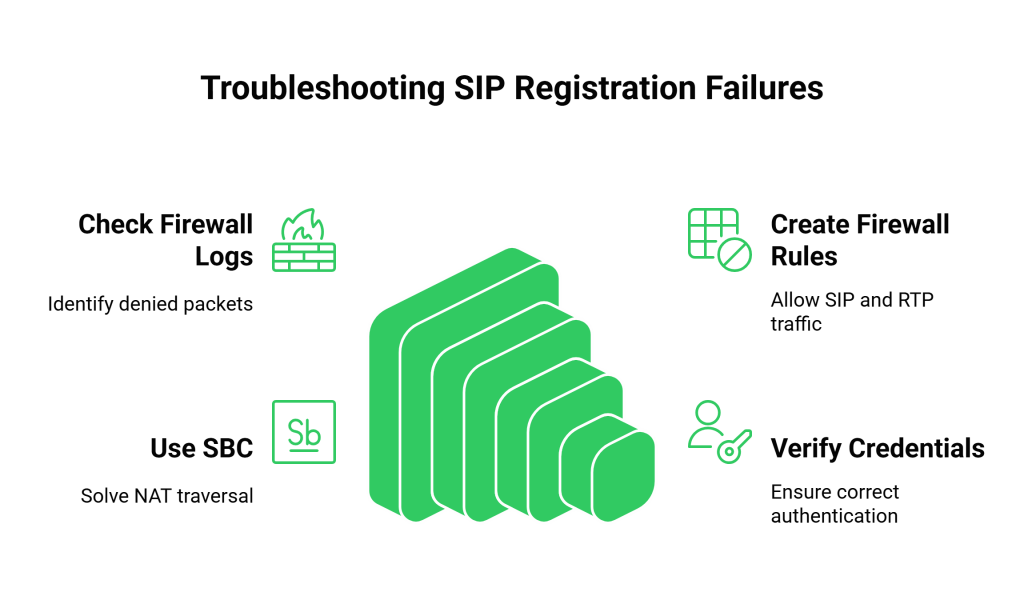
- Firewall and NAT Traversal: This is, by a wide margin, the #1 cause of initial setup failures. Your firewall is designed to block unsolicited incoming traffic from the internet. A SIP provider’s server trying to send a call to you looks exactly like that. Network Address Translation (NAT) can also wreak havoc by rewriting the IP addresses inside the SIP packets, causing responses to get lost.
- Incorrect Credentials or IP Whitelisting: It may sound simple, but a mistyped username, password, or an incorrect IP address in your provider’s access control list (ACL) is an incredibly common source of registration failure.
- Provider-Side Outages: While less common with a reputable provider, it is always a possibility that the issue is not on your end.
A Troubleshooting Checklist
- Check Your Firewall Logs: This is your first and most important step. Look for denied or dropped packets from your provider’s known IP addresses.
- Create Explicit Firewall Rules: You must create rules that explicitly allow SIP (usually UDP/TCP port 5060) and RTP (a range of UDP ports for the audio) traffic from your elastic SIP trunking provider’s IP addresses. Do not just “open port 5060” to the entire internet. This is a major security risk. A recent report on cybersecurity threats highlighted that misconfigured firewalls are a leading cause of network security breaches.
- Use a Session Border Controller (SBC): An SBC is specifically designed to solve the NAT traversal problem in a secure way. It acts as a smart, voice-aware intermediary at the edge of your network.
- Triple-Check Your Credentials and IP Addresses: Verify every character in your authentication details and confirm with your provider that they have correctly whitelisted your public IP address.
Also Read: Handling Delivery Calls with Voice AI
How Do You Diagnose Call Control and Routing Failures?
You have a successful registration, but your calls are not working. You might get a busy signal when you try to call out, or inbound calls might go straight to voicemail instead of ringing your phones. This is a signaling or configuration issue.
The Usual Suspects
- Incorrect Dial Plans or Outbound Routes: Your PBX has a complex set of rules (a dial plan) that tells it what to do with a number that is dialed. A misconfiguration can cause it to send the call to the wrong place or in the wrong format.
- Caller ID (ANI) Mismatch: Many providers require that the outbound caller ID you send matches one of the numbers they have assigned to your account. If it does not, they may reject the call to prevent fraud.
- Codec Mismatches: A codec is an algorithm used to compress and decompress the audio. Both your system and the provider’s system must agree on a common codec to use. If they cannot negotiate a match, the call will fail to connect.
A Troubleshooting Checklist
- Examine Your PBX Logs and a Packet Capture: This is where it gets more technical, but it is the definitive way to see what is happening. A packet capture using a tool like Wireshark shows the actual SIP messages exchanged and reveals the exact error code returned by the provider, such as ‘404 Not Found’ or ‘403 Forbidden.’
- Test with a Simple Outbound Route: Configure a route for a specific number (like your cell phone) and verify that it works. This helps to isolate the problem.
- Confirm Your Codec Settings: Enable and prioritize a common, high-quality codec like G.711 (uncompressed audio) or G.729 (compressed audio) on both your system and your provider’s settings.
This table provides a quick reference for common SIP error codes and their likely causes.
| SIP Error Code | Meaning | Common Cause in Elastic SIP Trunking |
| 401 Unauthorized | Authentication failed. | Incorrect username or password. |
| 403 Forbidden | The server understood the request but is refusing to fulfill it. | IP address not whitelisted; outbound caller ID not authorized. |
| 404 Not Found | The destination could not be found. | The number was dialed in an incorrect format; misconfigured dial plan. |
| 408 Request Timeout | The server could not produce a response in time. | Network connectivity issue; firewall blocking the response. |
| 486 Busy Here | The called party is busy. | This is usually a normal response, but if it’s unexpected, it could be a routing issue. |
Ready to work with a platform that provides the tools and support you need to troubleshoot effectively? Sign up for a FreJun AI.
Also Read: AI Voicebot for Shipment Tracking
How Do You Fix Audio Quality Problems?
The call connects, but the audio is choppy, delayed, or there is only one-way audio (you can hear them, but they cannot hear you). This is almost always a network quality issue on your end.
The Usual Suspects
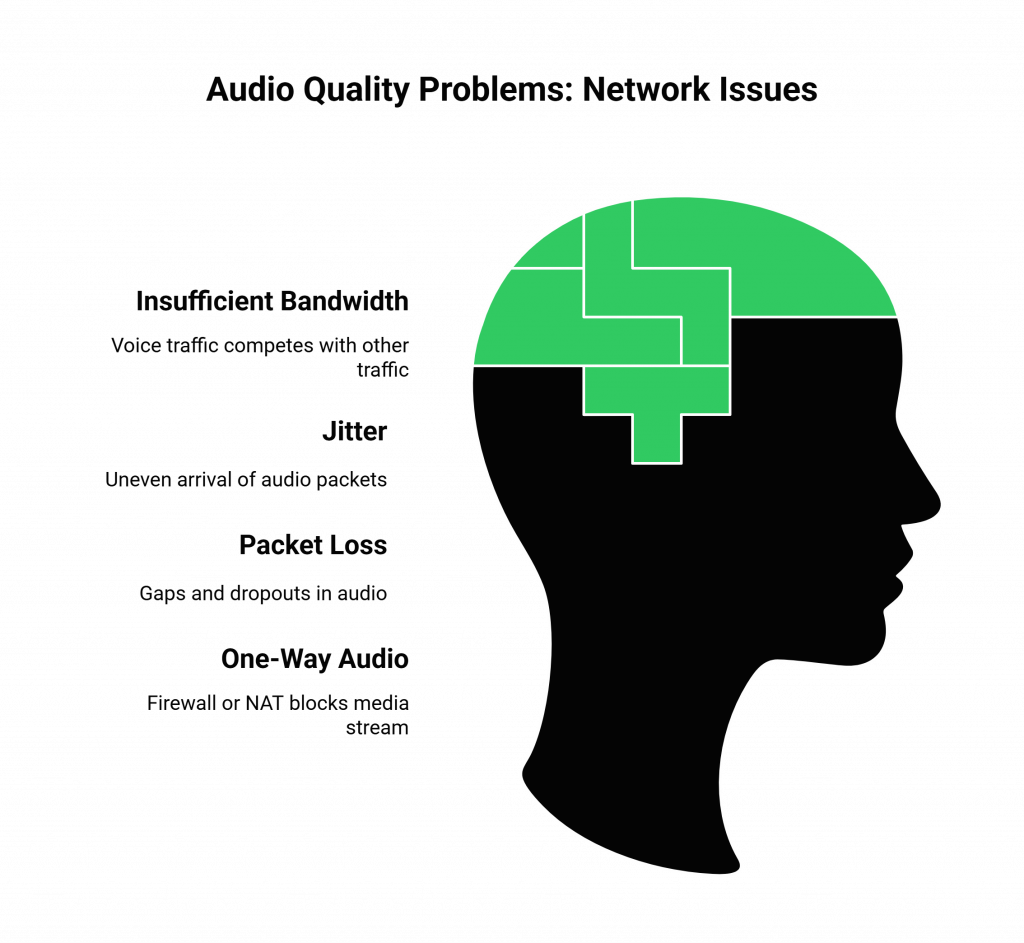
- Insufficient Bandwidth: Voice traffic is not very bandwidth-intensive, but it is very sensitive to competition. If your voice calls are competing for bandwidth with a large file download or video streaming on the same internet connection, the quality will suffer.
- Jitter: This is the variation in the arrival time of the audio packets. If the packets arrive in an uneven, spiky pattern, it will result in choppy, garbled audio.
- Packet Loss: If some of the audio packets are lost in transit on the internet, it will cause gaps and dropouts in the audio.
- One-Way Audio: This is a classic symptom of a firewall or NAT issue where the RTP (media) stream is being block in one direction.
A Troubleshooting Checklist
- Implement Quality of Service (QoS): This is the most important step. You must configure your network router to prioritize voice traffic (SIP and RTP) over all other types of traffic. This ensures that your voice calls always get the “first-class ticket” they need.
- Use a Dedicated Internet Connection: For any business that relies on voice, using a separate, internet connection for elastic SIP trunking is a highly recommend best practice. It fully isolates your voice traffic from your data traffic.
- Run a VoIP Quality Test: There are many online tools that can simulate VoIP traffic from your network and give you a detailed report on your bandwidth, jitter, and packet loss. This can help you diagnose if your underlying internet connection is the problem.
- Re-Check Your Firewall for RTP: If you are experiencing one-way audio, double-check that your firewall is correctly allowing the range of UDP ports for the RTP media stream in both directions.
Also Read: Citizen Feedback Systems Using Voice AI
Conclusion
The integration of elastic SIP trunking is a transformative step for any business, but it requires a careful and systematic approach. While the potential for issues can seem intimidating, the reality is that nearly every problem can be trace back to a handful of common configuration and network issues.
By arming yourself with a clear understanding of these potential pitfalls and a structured troubleshooting methodology, you can navigate the integration process with confidence.
A reliable voice connection is the lifeblood of your business, and taking the time to diagnose and resolve these issues correctly is an investment that will pay dividends in the form of crystal-clear, dependable communication.
Facing a particularly tricky integration challenge? Want to walk through it with an expert? Schedule a demo with our team at FreJun Teler.
Also Read: UK Mobile Code Guide for International Callers
Frequently Asked Questions (FAQs)
It is a modern, IP-based method for connecting a business’s phone system to the public telephone network. Its “elastic” nature allows a business to instantly scale its call capacity up or down and only pay for what it uses.
By far, the most common reason is the firewall. A misconfigured firewall that blocks the SIP or RTP traffic from the provider is the source of the vast majority of initial setup problems.
An SBC is a specialized device or software application that is designed to securely manage SIP traffic at the edge of a network. It is the best practice solution for solving NAT traversal issues and protecting your voice network from attacks.
One-way audio is the classic symptom of a firewall or NAT issue where the RTP (media) stream is being block in one direction. You need to ensure that your firewall is allowing the range of UDP ports for RTP traffic from your provider’s IP addresses.
Choppy audio is usually comes by jitter or packet loss on your internet connection. The most effective way to fix this is by implementing Quality of Service (QoS) on your router to prioritize your voice traffic.
A codec is the algorithm that compresses and decompresses the audio for a VoIP call. Both your system and the provider’s system must support and agree on a common codec for the call to be established.
Whitelisting your provider’s IPs in your firewall is a critical security measure. It ensures that you are only accepting voice traffic from a known, trusted source, which helps to protect you from denial-of-service attacks and other malicious activity.